Sliptree In-Depth – The Invoice Generator That Makes Billing Disappear Into Your Workflow
Sliptree: Invoicing Software That Focuses Exclusively on Getting You Paid
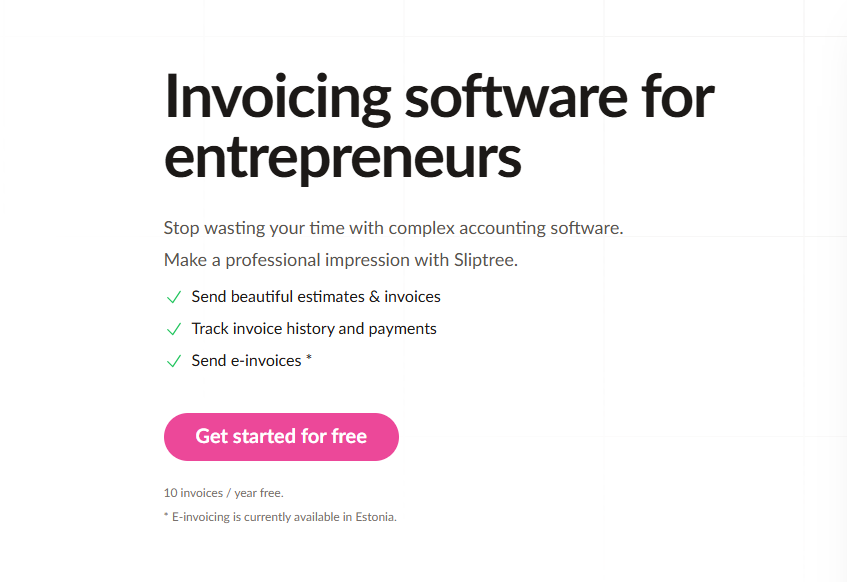
Within the first minute of using Sliptree, I noticed what it deliberately avoids: no elaborate onboarding wizard, no forced product tour, no attempt to shoehorn you into accounting frameworks you'll never use. The actual experience: paste your business details, click to create an invoice, and watch a polished PDF materialize in real time as you type. The distance between "I need to bill this client" and "the client received a professional invoice" collapses to roughly three minutes.
The Visual Editor: Shaping Your Invoice in Real Time
Sliptree's signature design element is the live preview editor. You're not interacting with an abstract form that produces an invisible output. You're shaping the actual visual document in real time.
What this unlocks: continuous preview where every keystroke and field change updates PDF rendering immediately. Drag-and-drop simplicity for logo placement, field positioning, and color selection. Ready-made brand templates pre-optimized for readability and payment clarity. Flexible field customization so line items reflect your actual work — Development Hours, Project Phase, Retainer Period.
During testing, the immediacy of this feedback loop was revelatory. Traditional invoice generators create hypothetical PDFs behind a "Generate" button. You fill fields on faith, generate, and discover formatting issues. Sliptree eliminates that cycle entirely.
Why Most Invoicing Software Overcomplicates Things
The invoicing tools dominating the market were built by accounting companies. They treat invoicing as one tab inside a larger financial management suite — nestled between expense tracking, tax preparation, and profit-and-loss reporting. The implicit assumption is that every user aspires to become an amateur accountant.
Most freelancers don't. They need exactly five things: professional-looking PDFs generated quickly, brand consistency without a design degree, multi-currency support for international clients, and confirmation when clients open and pay invoices. Everything beyond those capabilities adds cognitive weight without delivering proportional value.
Sliptree made a disciplined design choice: build invoicing software that focuses exclusively on invoicing. No general ledger. No forced expense system integration. No feature sprawl. Just the fastest possible route from "I need to send a bill" to "the client received a professional document and understands the payment terms."
Multi-Currency Without Manual Conversion
For freelancers billing across borders, Sliptree strips away the friction of handling multiple currencies: 50+ currency options for quoting in whatever currency clients expect. Regional formatting intelligence that positions currency symbols correctly and follows decimal separator conventions automatically. Language-aware templates where invoice headings, field labels, and payment terms adapt based on locale. Tax ID accommodation adjusting based on currency selection.
Practical impact: a developer billing clients across Europe, Australia, and the United States previously spent roughly 15 minutes per invoice managing conversions and formatting. Sliptree eliminated that entire category of work.
Invoice Status Visibility: From Sent to Paid
Sliptree's tracking layer answers the most anxiety-producing question in freelancing: has the client actually paid? The visibility goes deeper than a binary paid/unpaid toggle.
Delivery confirmation tells you the precise moment Sliptree dispatched the invoice. Recipient engagement tracking shows when the client opened the PDF — distinguishing "they haven't responded" from "they haven't even looked at it." Payment state management handles paid, partially paid, and overdue statuses. Automated late fee enforcement applies per-client penalty structures (€2 per day, 10% monthly, etc.) automatically when due dates pass.
The late fee mechanism shifts the dynamic from "I have to chase you and do extra work" to "the terms are clear and the system applies them automatically" — a far more effective collection posture.
End-to-End Document Lifecycle
Sliptree acknowledges that invoicing doesn't happen in isolation. Estimates precede invoices. Clients request revisions. Sometimes credits need issuing. Documents evolve across their lifecycle.
Estimate-to-invoice conversion lets you issue a proposal and convert it to an invoice with a single click when approved — no data re-entry. Change audit trail logs what changed and when for every revised invoice. Credit note generation connects directly to the original invoice record when overbilling occurs. Template duplication clones previous invoices as starting templates for recurring clients.
For agencies managing retainer relationships, duplication is a workflow multiplier. Load last month's invoice, update period dates and line-item adjustments, send. Under two minutes.
Two Months of Hands-On Testing
Over an eight-week evaluation period, I issued 23 invoices through Sliptree:
- Average creation time: 3 minutes (previously 8–10 minutes with manual template-based workflow)
- Universal client feedback: every recipient commented on professional presentation
- Late fee behavioral effect: one historically late-paying client settled on time after noticing the late fee clause
- Engagement intelligence: three recipients opened invoices without responding, one never opened theirs (prompted follow-up revealing wrong email address)
- Template economics: eight recurring-client invoices created via duplication in roughly 90 seconds each
Invoicing dematerialized into background infrastructure. Create the invoice, it gets paid, move on to actual work.
Pricing and Evaluation Access
Sliptree's commercial model is straightforward: 14 full days of unrestricted access with no credit card required. Post-trial, accounts are limited to 10 invoices per year. Annual subscription provides unlimited invoicing for a single annual fee.
The structure is clever: genuine evaluation access with zero financial commitment, and a free-tier threshold generous enough for occasional users while naturally converting anyone who invoices with frequency.
Competitive Landscape
| Feature | Sliptree | Wave | FreshBooks | Zoho Invoice |
|---|---|---|---|---|
| Visual WYSIWYG editor | ✅ Yes | ❌ No | 🟡 Limited | 🟡 Limited |
| Multi-currency | ✅ Full | ⚠️ Limited | ✅ Full | ✅ Full |
| Late fee automation | ✅ Per-customer | ❌ No | ❌ No | ⚠️ Basic |
| View tracking | ✅ Yes | ❌ No | ✅ Yes | ✅ Yes |
| Simplicity | ✅ Excellent | 🟡 Good | ❌ Complex | ❌ Complex |
| Free tier | ✅ 14 days | ✅ Forever | 🟡 Limited | 🟡 Limited |
Wave offers permanently free invoicing but lacks branding control and recipient tracking. FreshBooks and Zoho provide comprehensive accounting platforms but impose complexity most freelancers don't need. Sliptree occupies a carefully chosen niche: powerful invoicing without accounting overhead.
Five-Minute Setup Reality
Visit Sliptree, activate free trial, enter business name and contact email, upload logo and select brand colors, generate first invoice — roughly two minutes from blank canvas to finished PDF. No integration configuration required. No accounting taxonomy to define. No sync delays. The platform gets out of your way immediately.
Who Extracts Maximum Value
Independent freelancers (developers, designers, writers, consultants) find speed and visual polish match freelance workflow rhythms. Agencies with retainer structures benefit from template duplication and change tracking. Solopreneurs without accounting background produce professional invoices without financial expertise. Cross-border professionals eliminate manual conversion entirely. Anyone fleeing QuickBooks-level complexity finds the deliberate scope limitation is a feature, not a deficiency.
What Sliptree Does Exceptionally
- Instant competence: Professional results from first interaction — no learning curve
- Pre-made design choices: Thoughtful defaults eliminate layout paralysis
- International intelligence: Multi-currency handling that respects regional conventions
- Engagement transparency: Knowing when a client viewed your invoice changes follow-up dynamics
- Late fee elegance: Automated, fair, and effective at shifting payment behavior
Where There's Room to Grow
- Scheduled recurring invoicing: Currently requires manual duplication — automatic creation on a defined schedule would be natural evolution
- Direct payment acceptance: Integrating payment gateway functionality would complete the invoice-to-settlement cycle
- Lightweight expense capture: Optional project-cost tracking would serve users needing basic profitability visibility
- API access for custom integrations: Programmatic workflow connections remain on the horizon
Final Assessment
Sliptree succeeds through a clear understanding of its audience: people who need to get paid — efficiently, professionally, and without learning a new discipline. The visual editor removes uncertainty between intention and output. Multi-currency support eliminates manual conversion. Status tracking replaces anxiety with information. Late fee automation shifts the payment dynamic in your favor.
Rating: 4.5/5 stars
Delivers: Polished, professional invoicing without complexity. The visual editor is a genuine differentiator. Multi-currency handling is frictionless. Pricing respects independent budgets.
Doesn't need to: Replace comprehensive accounting platforms. That was never the goal.
Ready to make invoicing invisible?
👉 Start Your Free Trial — 14 days, no credit card required.
Tags
# Review# Sliptree# Invoice generator# Invoice generator with logo# Create invoice free# Invoicing software# Business invoicing software# Invoice software for small business# Invoicing for small business# Best business invoicing software# Free invoicing software# Small business invoicing# Freelancer invoicing# Professional invoice generator# Branded invoices# Multi-currency invoicing# Invoice tracking# Late fee management# Visual invoice editor# Estimate to invoice workflow# Credit note management# Document duplication# Change tracking# Invoice status tracking# Simple pricing invoicing# 14-day free trial# No credit card required# Freelancer billing software# Small business billingFollow for new blogs
Subscribe to our blog
Subscribe to Newsletter
Subscribe to our newsletter to get the best products weekly.