Climb to the Top

Discover the top products built by independent makers.

Launching Now

New launches in
00d
00h
:
00m
:
00s
Portraify logo

Portraify is an innovative AI headshot generator designed to transform your casual photos into polished, professional headshots in minutes. This SaaS solution leverages advanced AI to provide studio-quality portraits without the need for a photographer or a physical studio, making it an ideal tool for enhancing your professional online presence. Target Audience & Use Cases Portraify is perfect for professionals, job seekers, and anyone needing a high-quality profile picture for platforms like LinkedIn, resumes, company directories, or personal branding. It caters to a wide range of users, from UX Designers and VPs of Sales to Marketing Leads, Software Engineers, Product Managers, and Startup Founders, all looking to present a clean and professional image. Key Features AI-Powered Transformation: Upload 1-3 everyday photos, and Gemini AI analyzes your features to generate a polished professional portrait. Rapid Generation: Get your high-resolution headshot ready in just 1-2 minutes, with no queues or waiting times. Privacy by Design: Your uploaded photos are kept private to your account, never used for AI model training, and can be deleted on request. Professional Enhancement: Automatic background removal and professional lighting are applied to every portrait for a clean, studio-quality look. Accessibility: No special equipment is required; any phone camera works, making professional headshots accessible to everyone. High-Resolution Output: Download ready-to-use, high-resolution images suitable for all professional platforms. Use Cases Portraify addresses the common challenge of obtaining professional headshots quickly and affordably. For a job seeker, it means having a compelling LinkedIn profile picture and resume photo without the expense or hassle of a traditional photo shoot. Sales professionals can use it to build trust and credibility with clients, while marketing leads can ensure consistent, high-quality branding across all their professional profiles. Companies can also leverage Portraify to standardize professional headshots for their entire team, improving brand consistency in internal directories and external communications. It effectively solves the problem of outdated or unprofessional profile pictures, providing an instant upgrade to one's digital persona. Pricing Information Portraify operates on a freemium model, offering 3 free portraits upon sign-up with no credit card required. For additional needs, it provides transparent, one-time purchase options: the Starter plan at $9 for 3 portraits, the Pro plan at $25 for 10 portraits (saving 17%), and the Studio plan at $50 for 25 portraits (saving 33%). All credits purchased never expire, and there are no recurring subscriptions. User Experience and Support The user experience is designed to be straightforward and efficient, following a simple three-step process: upload photos, AI processes, and download. This intuitive workflow ensures that users can generate their professional headshots with minimal effort. While specific documentation or dedicated support channels aren't detailed, the simplicity and speed of the service suggest a user-friendly interface that requires little assistance. The "Ready in 1-2 minutes" promise highlights its commitment to a seamless and quick user journey. Technical Details Portraify utilizes advanced AI technology, specifically mentioning "Gemini AI," to analyze user features and generate high-quality professional portraits. This AI is responsible for the sophisticated background removal, lighting adjustments, and overall aesthetic enhancements that define the service's output. The platform is web-based, allowing users to access it from any device with an internet connection. Pros and Cons Pros: Extremely fast generation time (1-2 minutes). Cost-effective alternative to traditional photography studios. Strong emphasis on user privacy and data security. Automatic professional enhancements (background removal, lighting). Accessible from any device with a camera, no special equipment needed. Freemium option available to try before buying. Cons: Limited information on advanced customization or editing features. Quality of output may depend on the clarity of initial uploaded photos. No explicit mention of dedicated customer support channels. Conclusion Portraify offers an unparalleled blend of speed, affordability, and quality for generating professional headshots using cutting-edge AI. It's an essential tool for anyone looking to quickly and privately elevate their professional image across various digital platforms. Ready to look the part? Generate your professional headshot in under a minute and experience the Portraify difference today. Get started free to explore its capabilities.

KhanxTools logo

KhanxTools is a secure, fast, and beautifully simple online platform designed for effortless PDF manipulation. It empowers users to convert, merge, compress, organize, and edit PDF files directly in their browser, making complex tasks quick and accessible. This SaaS is ideal for individuals, freelancers, and businesses of all sizes who need efficient and private PDF processing without software installations or subscriptions just to try it. Key Features: Client-Side Processing: All file operations occur locally in your browser using WebAssembly, ensuring maximum privacy as files are never uploaded to servers. Comprehensive PDF Tools: Offers a suite of 8 essential tools including Edit PDF, Images to PDF, Merge PDF, Compress PDF, Organize PDF, Word to PDF, Split PDF, and Rotate PDF. No Watermarks: All output files are clean, professional, and completely free of watermarks. Lightning Fast: Processes files in seconds due to local execution, eliminating server roundtrips. Completely Free to Start: Enjoy 5 free conversions on every tool without needing an account or credit card. Works Everywhere: Fully responsive and accessible on desktop, tablet, or phone in any modern browser. Use Cases: KhanxTools is perfect for a variety of scenarios. For students and professionals, it simplifies combining multiple research papers or reports into a single PDF, or compressing large documents for easy email sharing without quality loss. Graphic designers and marketers can quickly convert image assets (JPG, PNG, WebP) into perfectly formatted PDFs for presentations or portfolios. Furthermore, anyone needing to make quick edits, add signatures, or reorder pages in a PDF can do so efficiently and securely, ensuring their sensitive information remains private. Its "no installs needed" approach makes it an excellent choice for quick, on-the-go PDF tasks. Pricing Information: KhanxTools operates on a freemium model. Users receive 5 free conversions across all 8 PDF tools without requiring a credit card or account. For unlimited use and priority processing, a Pro plan is available starting at $4.99/month, which can be canceled anytime. User Experience and Support: The platform boasts a "beautifully simple" and intuitive user interface, designed for ease of use. There's "no bloat" and "no installs needed," allowing users to simply open their browser, use the tool, and close the tab. The website provides a blog with PDF tips and tutorials, such as "How to Merge PDF Files Online" and "Compress PDFs Without Losing Quality," along with a comprehensive FAQ section to address common questions. Technical Details: KhanxTools prioritizes privacy and speed by performing all PDF processing client-side, directly in the user's browser. This is achieved using modern WebAssembly technology. Files are never uploaded to KhanxTools' servers, ensuring zero data retention and HTTPS encrypted transit for any necessary communication. This architecture guarantees that "What happens in your browser, stays there." Pros and Cons: Pros: Exceptional privacy with client-side processing. Fast performance due to local execution. No watermarks on output files. No software installation required. User-friendly and responsive design. Generous freemium offering (5 free conversions). Cons: Limited free conversions before a paid subscription is needed for unlimited use. Conclusion: KhanxTools offers a compelling solution for anyone seeking a fast, secure, and straightforward way to manage PDF documents online. Its commitment to privacy through client-side processing, combined with a robust set of tools and a user-friendly interface, makes it a standout choice. Explore KhanxTools today to streamline your PDF workflow and experience truly private document processing.

PhotoCore logo

PhotoCore is a dedicated SaaS solution designed to be the private home for your entire photo life, offering unparalleled privacy and intelligent organization for your visual content. Its primary purpose is to empower users, particularly Mac owners, with advanced local AI capabilities to manage and interact with their photos, diagrams, and infographics without relying on cloud services. Target Audience & Use Case PhotoCore is ideal for individuals, photographers, designers, and anyone who values maximum privacy and efficient local management of their digital image collections. It caters to users who want powerful search and organization features for their visual assets directly on their device, eliminating concerns about data privacy associated with cloud storage. Key Features Local AI Indexing: Intelligently indexes photos, diagrams, and infographics directly on your Mac. Semantic Search: Enables searching by meaning, allowing for intuitive retrieval of specific visual content. Intelligent Renaming: Automatically renames files with intelligence, improving organization and discoverability. Zero Cloud Dependency: Ensures maximum privacy by processing and storing all data locally, never touching the cloud. No Subscription Model: Offers a straightforward ownership model without recurring fees. Mac-Native Experience: Optimized for performance and integration within the macOS ecosystem. Use Cases PhotoCore proves invaluable in several scenarios. For professional photographers or graphic designers, it provides a robust system to organize vast local archives of images and project assets, allowing them to quickly find specific visuals based on content rather than just filenames or manual tags. This significantly streamlines workflows and reduces time spent on asset management. Furthermore, for any individual with a large personal photo library, PhotoCore addresses the growing concern of digital privacy. By keeping all photo indexing and management strictly local, users can maintain complete control over their cherished memories, free from the privacy implications of cloud-based photo services. It solves the common problem of scattered, unsearchable photo collections by bringing intelligence directly to the user's device. Pricing Information PhotoCore operates on a 'No subscription' model, indicating that users acquire the software without ongoing recurring costs. While specific purchase details are not provided, this model typically implies a one-time payment for lifetime access or a perpetual license. User Experience and Support As 'The private home for your whole photo life,' PhotoCore is designed with a focus on an intuitive and user-friendly interface that prioritizes local control and privacy. The emphasis on a self-contained, Mac-native experience suggests a streamlined setup and operation. While specific documentation or support channels are not detailed, the product's nature implies a focus on empowering users with direct control over their data. Technical Details PhotoCore leverages advanced local AI algorithms to perform its core functions, including indexing, semantic search, and intelligent renaming. This commitment to local processing is fundamental to its 'Zero cloud' philosophy, ensuring that all computational tasks and data storage occur exclusively on the user's Mac device. The software is built to integrate seamlessly within the macOS environment. Pros and Cons Pros: Maximum data privacy with zero cloud interaction; Powerful local AI for intelligent search and organization; No recurring subscription fees; Dedicated and optimized Mac experience; Efficient management of large visual libraries. Cons: Limited to Mac platform only; Specific pricing details (beyond 'no subscription') are not provided; Potential learning curve for advanced AI features; Lacks cloud backup/sync options (by design, but a con for some). Conclusion PhotoCore stands out as an essential tool for Mac users who demand ultimate privacy and intelligent, local organization for their digital photos, diagrams, and infographics. By harnessing the power of local AI, it offers a secure and efficient way to manage your visual life without compromising data security. Explore PhotoCore to experience a new level of control and intelligence over your personal and professional image collections.

Seedance 2.5 AI Video Generator logo

Seedance 2.5 is ByteDance's advanced AI video generator, enabling users to create high-fidelity, 30-second 4K videos in a single, seamless run. It minimizes manual editing and post-production by unifying text, images, audio, and video references into cohesive cinematic outputs. This platform is ideal for content creators, marketers, e-commerce brands, and enterprises seeking efficient, scalable, and consistent video production. Key Features Native 30-Second 4K Video: Generates continuous, high-resolution clips directly, no stitching needed. Multimodal References: Supports up to 50 assets (30 images, 10 videos, 10 audios) per project. Precise Local Editing: Modify specific areas while maintaining overall scene stability. Character & Scene Consistency: Ensures stable features, clothing, and environments across sequences. Multilingual Prompts: Natively supports over 10 languages for detailed directions. Audio-Aware Sync: Coordinates actions and matches lip sync automatically with audio inputs. Use Cases Seedance 2.5 empowers social media creators to produce engaging 30-second clips for platforms like TikTok and Instagram Reels, maintaining consistent styling. Marketing and ad teams can rapidly build high-converting product ads and brand campaigns from reference images, enabling multiple creative variations without full production shoots. E-commerce brands can transform product features into clear demos and motion concepts, visualizing ideas before committing to physical shoots. Industrial teams can create structured scenes for training and previsualization, turning sketches into professional explainers. Pricing Information Seedance 2.5 offers a freemium model, providing new users with 30 free credits upon registration for immediate video generation. Additional credit packages are available for extended use. User Experience and Support The platform features an intuitive online workspace and editor for easy asset upload, prompt input, and direct browser rendering. A step-by-step guide assists users, and support is available for advanced API integration. Technical Details Developed by ByteDance's Doubao team, Seedance 2.5 utilizes advanced AI models for video generation, accessible via a robust web-based infrastructure. Pros Faster production with native 30-second 4K clips and reduced stitching. High consistency in characters, visuals, and scene elements. Extensive multimodal input support for precise creative control. Significant cost savings through concept testing without full production. Advanced local editing for refining details without full regeneration. Cons Exact character matches are not always guaranteed despite reference guides. Usage is credit-based, requiring planning for extensive projects. Conclusion Seedance 2.5 is a powerful and efficient AI video generator, offering unparalleled control and consistency for creating professional-grade 30-second 4K videos. Its ability to unify diverse assets and perform precise local edits makes it an invaluable tool for accelerating content production and reducing costs. Explore Seedance 2.5 today to transform your creative workflow.

IntelliPlan logo

IntelliPlan AI Tutor: Your Smart Study PlannerIntelliPlan is an innovative AI-powered study planner designed to revolutionize how students manage their academic workload. It seamlessly integrates with popular school platforms to automate assignment tracking, prioritize tasks, and generate personalized study schedules, significantly reducing planning time and academic stress.Target AudienceThis SaaS is ideal for high school, AP, IB, dual-enrollment, and college students who need a centralized, intelligent system to manage assignments, track grades, schedule study sessions, and access on-demand academic support.Key FeaturesAutomatic Assignment Import: Connects with Canvas, StudentVue, and Schoology to pull all coursework into one unified list.AI-Powered Priority Scoring: Ranks assignments by due date, difficulty, points, and available time, making the next step clear.AI-Built Study Schedules: Generates realistic weekly study plans that adapt to deadlines and available time, exportable to Google Calendar.Integrated AI Tutor: Provides step-by-step explanations, checks understanding, and offers follow-up questions across 9+ subjects.Study & Learn Tools: Creates flashcards, key concepts, and quiz questions from uploaded notes to enhance review.Grade Modeler: Simulates how future assignment scores impact overall grades, offering proactive academic insights.Use CasesIntelliPlan is invaluable for students overwhelmed by scattered assignments across multiple portals, those who struggle with effective time management, or individuals seeking immediate academic assistance. For instance, a student juggling AP classes and extracurriculars can connect their Canvas and StudentVue accounts, and IntelliPlan will automatically sort their assignments, estimate effort, and build a balanced study schedule, ensuring high-priority tasks like a Calc BC problem set due tomorrow are tackled first. It also serves as a personal academic coach, allowing students to ask the AI Tutor for help with complex concepts like derivatives, receiving detailed, interactive explanations rather than just answers. This eliminates the need for manual entry, constant rescheduling, and frantic Googling for homework help, allowing students to focus more on learning and less on planning.Pricing InformationIntelliPlan operates on a freemium model, offering a free-to-start option that allows students to begin organizing assignments and study time without any initial hurdles. Specific details on paid tiers or advanced features are not explicitly provided, but the core functionality is accessible to get started.User Experience and SupportThe platform is designed for clarity and ease of use, aiming to reduce the time spent figuring out what to do. It offers a clean interface that centralizes all academic needs, moving beyond cluttered dashboards. IntelliPlan installs as a Progressive Web App (PWA), ensuring accessibility across iPhone, Android, Chromebook, Mac, and Windows devices without requiring traditional app store downloads. The built-in AI Tutor serves as a primary support mechanism, offering instant, step-by-step academic help whenever needed.Technical DetailsIntelliPlan leverages Google Gemini for its scheduling capabilities and integrates seamlessly with major educational platforms like Canvas LMS, StudentVue, and Schoology. It also supports export functionality to Google Calendar and Notion, enhancing its interoperability within a student's existing digital ecosystem. The application is built as a Progressive Web App (PWA), ensuring broad compatibility and a native-like user experience across various operating systems.Pros and ConsPros:Automates assignment import and prioritization from multiple school platforms.Generates adaptive, realistic study schedules, reducing planning time.Includes a powerful AI Tutor for step-by-step academic assistance across subjects.Offers valuable study tools like flashcard generation and a grade modeler.Accessible as a PWA across various devices (iOS, Android, Chromebook, Mac, Windows).Free to start, lowering the barrier to entry for students.Cons:Requires initial connection and authorization with school portals.While intuitive, new users might have a slight learning curve with AI-driven scheduling.Specific customization options beyond AI-generated plans are not detailed.Relies on integrations with external platforms (Canvas, Google Calendar, etc.).ConclusionIntelliPlan AI Tutor provides an indispensable solution for students seeking to streamline their academic life, offering an intelligent, automated approach to assignment management and study planning. By centralizing coursework and providing on-demand AI tutoring, it empowers students to stay ahead, reduce stress, and maximize their study efficiency. Explore IntelliPlan today to transform your academic planning.

PlugClaw logo

AI is great at answering questions, but far fewer AI tools can actually get work done. That's exactly why PlugClaw exists: to transform AI from answering questions into completing tasks.PlugClaw is a thumb-sized private AI computer that works with your phone, tablet, or computer. Simply tell it what you want, and it can operate apps, reply to messages, organize documents, create presentations, gather information, and execute complete workflows on your behalf. Instead of stopping at suggestions, PlugClaw follows through and completes the work.Powered by its own secure Android operating system, advanced AI models, and hardware-level privacy protection, PlugClaw delivers powerful AI without compromising your data. No scripting, no automation tools, and no complex setup - just plug it in and let your personal AI employee take care of the rest.

Toolio logo

190+ free browser tools in one place: PDF merge, split and conversion; image background removal and format conversion; video-to-GIF and audio trimming; calculators; and developer utilities. Most tools run entirely in your browser, so your files are never uploaded — the few that need a server are clearly labeled. No account, no watermarks, free, in 16 languages.

AIMakeTattoo logo

AIMakeTattooAI is an innovative AI-powered platform designed to transform tattoo ideas into custom designs, lettering, and practical notes in seconds. It caters to individuals seeking to visualize their next tattoo and artists looking for inspiration and design tools.Key Features:AI Tattoo Generator: Converts descriptive ideas into custom tattoo designs with style, placement, detail, and ratio controls.AI Tattoo Lettering Generator: Creates custom AI lettering designs for names, dates, quotes, with symbols, ornaments, shading, and frames.Image to Tattoo: Transforms uploaded photos, sketches, or personal images into tattoo designs across various styles.Tattoo Font Generator: Instantly previews text across tattoo-friendly font styles (script, Old English, Roman) without using AI credits.Extensive Style Library: Offers popular tattoo styles like Neo Traditional, Japanese, Blackwork, Realism, and Watercolor.Free Daily Uses: Provides free daily generations for AI Tattoo, AI Lettering, and Image-to-Tattoo tools.Use Cases:AIMakeTattooAI is invaluable for anyone planning a new tattoo, from first-timers to seasoned enthusiasts. Users can describe abstract concepts like "dragon flying over mountains in Japanese style" and instantly receive visual designs, allowing for rapid iteration and exploration of different artistic directions. This eliminates the need for extensive manual searching or mood board creation, significantly speeding up the initial planning phase.The platform also excels in personalizing text-based tattoos. Whether it's a significant date, a loved one's name, or a meaningful quote, the AI Lettering Generator can craft unique designs with intricate details, ensuring the text is not just legible but also artistically integrated. Furthermore, the Image to Tattoo feature allows for deeply personal designs, turning a cherished photo or a child's drawing into a potential tattoo concept, bridging the gap between personal memory and artistic execution.Pricing Information:AIMakeTattooAI operates on a freemium model. The Tattoo Font Generator is completely free to use and does not require AI credits. The AI Tattoo Generator, AI Lettering Generator, and Image-to-Tattoo tools offer free daily uses, with optional paid credits available for users who require more generations.User Experience and Support:The platform is designed for ease of use, allowing users to start exploring tattoo ideas without complex profile creation or lengthy questionnaires. Its intuitive interface enables quick generation and comparison of designs. While specific support documentation isn't detailed, the presence of a "Frequently Asked Questions" section and a contact email (hello@aimaketattoo.com) suggests accessible user support.Technical Details:Based on the provided information, AIMakeTattooAI is a web-based SaaS application leveraging artificial intelligence for design and lettering generation. Specific programming languages or frameworks are not disclosed, but its functionality points to advanced AI/ML capabilities for image and text synthesis.Pros and Cons:Pros:Rapid generation of diverse tattoo designs from text prompts.Comprehensive tools for both image-based and text-based tattoo concepts.Ability to explore multiple styles and compositions quickly.Free daily uses and a completely free font preview tool.Streamlines the tattoo planning process, saving time and effort.No complex setup required to start designing.Cons:Reliance on AI may require refinement by a human artist for final execution.Specific customization options beyond initial controls might be limited.No explicit mention of advanced collaboration features for artists.Paid credits needed for extensive daily use beyond the free tier.Conclusion:AIMakeTattooAI offers a powerful and accessible suite of AI tools for anyone looking to design their next tattoo. By transforming ideas into visual concepts, exploring styles, and customizing lettering, it significantly enhances the tattoo planning journey. Explore AIMakeTattooAI today to bring your tattoo vision to life faster and more creatively.

Last Week's Top

DDriveMode APK Analyzer logo

APK Analyzer is a free, privacy-first utility designed to empower users, developers, and QA testers with deep insights into Android application packages (.apk files) directly within their web browser. It offers a secure, client-side inspection experience, ensuring no data ever leaves your device. This tool is ideal for security-conscious mobile gamers, Android developers testing build outputs, quality assurance (QA) testers, and cybersecurity researchers who need to understand an app's internal workings before installation or deployment. Key Features 100% Client-Side Privacy: All analysis happens locally in your browser; no file uploads to external servers. Interactive Security Speedometer: Get an immediate, visual risk score based on permissions and structural anomalies. Detailed Manifest & SDK Detection: Instantly view critical app identity data, including package name, compile version, minSdkVersion, and targetSdkVersion. Permission Extraction & Grouping: Identifies and color-codes dangerous permissions like access to SMS, contacts, camera, mic, and GPS. App Component Audits: Review internal application endpoints (Activities, Services, Broadcast Receivers, Content Providers) and flag exposed vulnerabilities. SHA-256 Hash & Report Exports: Calculate a unique cryptographic fingerprint and download comprehensive reports as raw JSON or printable PDFs. Use Cases The APK Analyzer is invaluable for making informed decisions about Android applications. Before sideloading an app from outside the Google Play Store, users can quickly assess its security posture, checking if an offline game, for instance, is requesting unnecessary access to sensitive data like SMS logs or location. This helps prevent potential privacy breaches and malware installations. For Android developers and QA testers, the tool streamlines the build verification process. They can rapidly inspect their APK outputs for correct manifest configurations, target SDK versions, and ensure no unintended permissions or exposed components are present. This accelerates the debugging and quality assurance cycles, ensuring robust and secure application releases. Pricing Information The APK Analyzer is offered as a free, privacy-first utility. It provides premium inspection capabilities without any cost, emphasizing accessibility and data security for all users. User Experience and Support The tool boasts a highly intuitive, browser-based interface. Users can simply drag and drop an .apk file or click to select it, and the analysis begins automatically within seconds, thanks to its local processing. The visual Security Speedometer provides an instant risk overview, complemented by dedicated tabs for detailed breakdowns of Security, Permissions, and Manifest data. For documentation and sharing, results can be easily downloaded as raw JSON or printable PDF reports. Technical Details Operating entirely client-side, the APK Analyzer leverages local browser scripting APIs to process files. It reads the .apk file as a compressed ZIP archive, unpacks it in-browser, and parses binary AndroidManifest.xml data. The tool then scans the complete package structure, including Dalvik bytecode (.dex files) and native hardware libraries (.so files), to generate its comprehensive report. Pros and Cons Pros: Ensures 100% data privacy with client-side analysis. Provides instant, detailed technical reports without server uploads. Easy-to-use drag-and-drop interface with visual risk assessment. Highlights dangerous permissions and exposed components. Offers flexible report export options (JSON, PDF). Cons: Not an active antivirus; provides risk estimates, not definitive malware verdicts. Requires user interpretation of technical details for full understanding. Conclusion The APK Analyzer stands out as an essential, free, and privacy-centric tool for anyone needing to scrutinize Android application packages. By offering immediate, in-depth insights into an app's permissions, components, and structure, it empowers users to make secure and informed decisions. Explore the APK Analyzer today to enhance your mobile security and development workflows.

51
Cloudops One logo

CloudOps One is an AI-powered multi-cloud infrastructure management platform that enables IT teams to manage servers, cloud resources, monitoring, automation, and security from a single interface.Key Features🖥️ Multi-tab SSH Terminal with SFTP and RDP☁️ Multi-cloud management (AWS, OCI, Azure, GCP)📊 Real-time server, website, and SSL monitoring🤖 AI-powered script generation, log analysis, and troubleshooting⚙️ Automation workflows for routine operations🔐 Secure credential vault and role-based access control🐳 Docker and Kubernetes management📋 Asset inventory, audit logs, and team collaborationTarget UsersDevOps EngineersCloud EngineersSystem AdministratorsMSPs (Managed Service Providers)IT Operations & NOC TeamsVisionOne Platform. Every Cloud.CloudOps One is designed to replace multiple infrastructure tools by providing a unified platform for infrastructure management, monitoring, automation, and AI-assisted operations.

30
Donkey Bridge Safe logo

Donkey Bridge Safe is not an ordinary password manager. It is a highly specialized, 100% offline vault for all sensitive strings (PINs, PUKs, passwords). It provides maximum security through a proprietary algorithm and hidden features – completely local and resistant to AI-based attacks.

30
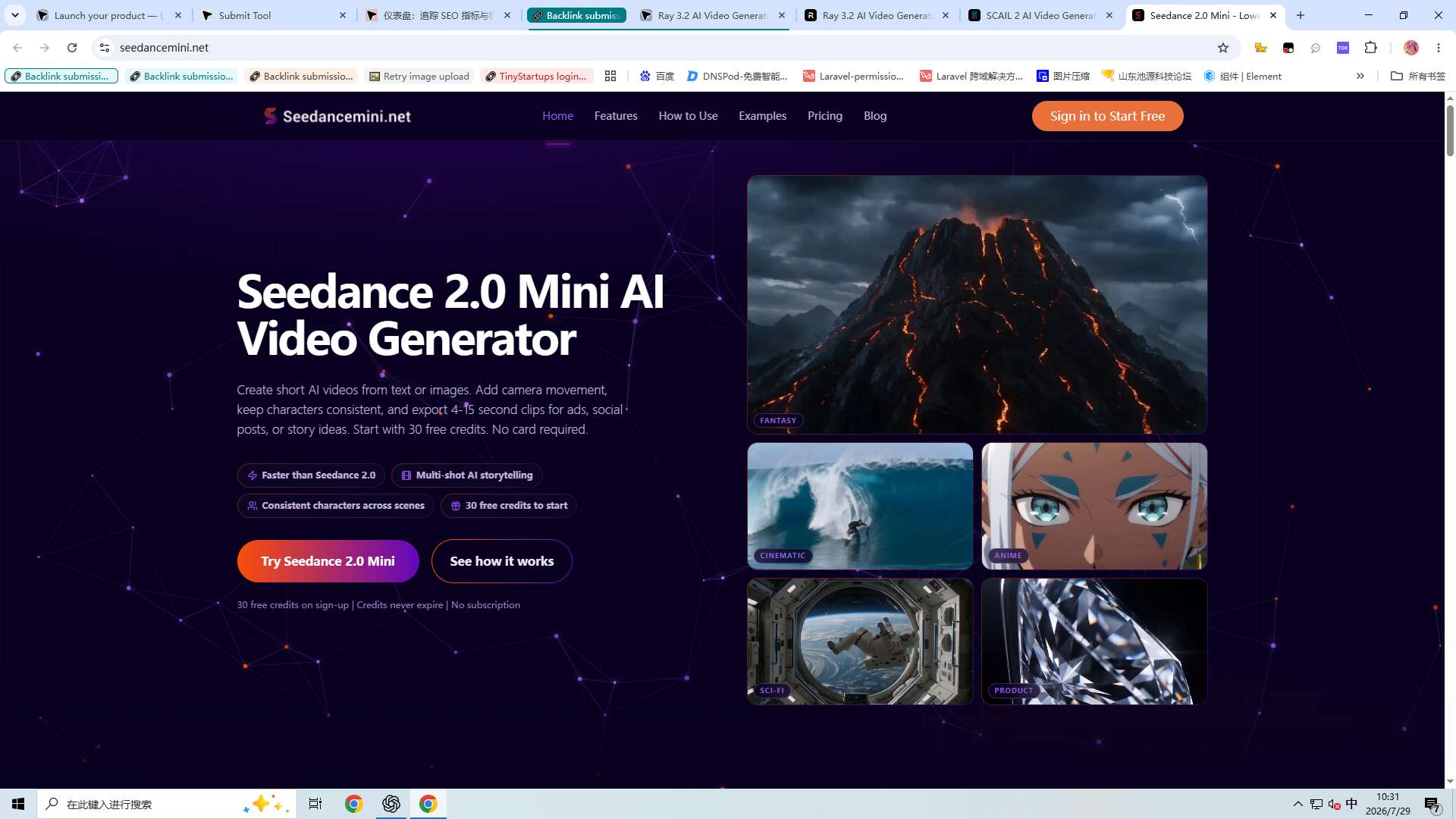
Seedance 2.0 AI Video Generator logo

Seedance 2.0 is an AI video generator for creators and teams who want to turn prompts, images, and ideas into polished video content quickly. It supports fast creative testing, marketing visuals, short-form clips, and browser-based AI video production. Keywords: Seedance 2.0, Seedance AI, Seedance 2.0 AI Video Generator.

29

Last Month's Top

DDriveMode APK Analyzer logo

APK Analyzer is a free, privacy-first utility designed to empower users, developers, and QA testers with deep insights into Android application packages (.apk files) directly within their web browser. It offers a secure, client-side inspection experience, ensuring no data ever leaves your device. This tool is ideal for security-conscious mobile gamers, Android developers testing build outputs, quality assurance (QA) testers, and cybersecurity researchers who need to understand an app's internal workings before installation or deployment. Key Features 100% Client-Side Privacy: All analysis happens locally in your browser; no file uploads to external servers. Interactive Security Speedometer: Get an immediate, visual risk score based on permissions and structural anomalies. Detailed Manifest & SDK Detection: Instantly view critical app identity data, including package name, compile version, minSdkVersion, and targetSdkVersion. Permission Extraction & Grouping: Identifies and color-codes dangerous permissions like access to SMS, contacts, camera, mic, and GPS. App Component Audits: Review internal application endpoints (Activities, Services, Broadcast Receivers, Content Providers) and flag exposed vulnerabilities. SHA-256 Hash & Report Exports: Calculate a unique cryptographic fingerprint and download comprehensive reports as raw JSON or printable PDFs. Use Cases The APK Analyzer is invaluable for making informed decisions about Android applications. Before sideloading an app from outside the Google Play Store, users can quickly assess its security posture, checking if an offline game, for instance, is requesting unnecessary access to sensitive data like SMS logs or location. This helps prevent potential privacy breaches and malware installations. For Android developers and QA testers, the tool streamlines the build verification process. They can rapidly inspect their APK outputs for correct manifest configurations, target SDK versions, and ensure no unintended permissions or exposed components are present. This accelerates the debugging and quality assurance cycles, ensuring robust and secure application releases. Pricing Information The APK Analyzer is offered as a free, privacy-first utility. It provides premium inspection capabilities without any cost, emphasizing accessibility and data security for all users. User Experience and Support The tool boasts a highly intuitive, browser-based interface. Users can simply drag and drop an .apk file or click to select it, and the analysis begins automatically within seconds, thanks to its local processing. The visual Security Speedometer provides an instant risk overview, complemented by dedicated tabs for detailed breakdowns of Security, Permissions, and Manifest data. For documentation and sharing, results can be easily downloaded as raw JSON or printable PDF reports. Technical Details Operating entirely client-side, the APK Analyzer leverages local browser scripting APIs to process files. It reads the .apk file as a compressed ZIP archive, unpacks it in-browser, and parses binary AndroidManifest.xml data. The tool then scans the complete package structure, including Dalvik bytecode (.dex files) and native hardware libraries (.so files), to generate its comprehensive report. Pros and Cons Pros: Ensures 100% data privacy with client-side analysis. Provides instant, detailed technical reports without server uploads. Easy-to-use drag-and-drop interface with visual risk assessment. Highlights dangerous permissions and exposed components. Offers flexible report export options (JSON, PDF). Cons: Not an active antivirus; provides risk estimates, not definitive malware verdicts. Requires user interpretation of technical details for full understanding. Conclusion The APK Analyzer stands out as an essential, free, and privacy-centric tool for anyone needing to scrutinize Android application packages. By offering immediate, in-depth insights into an app's permissions, components, and structure, it empowers users to make secure and informed decisions. Explore the APK Analyzer today to enhance your mobile security and development workflows.

51
FRANS logo

FRANS: AI-Powered Face Recognition Attendance System FRANS is an innovative, AI-powered Face Recognition Attendance System designed to revolutionize workforce management. It offers a seamless, secure, and contactless solution for tracking attendance, eliminating the need for traditional punch cards or manual logs. Ideal for modern workplaces, educational institutions, healthcare facilities, and various other industries, FRANS ensures accurate records and enhances operational efficiency. Key Features: AI-powered Face Recognition: Utilizes advanced AI algorithms for instant and accurate identity verification, even with minor appearance changes or varying lighting conditions. GPS-Based Attendance Verification: Ensures attendance is logged from approved locations, preventing off-site fraud for both mobile and fixed setups. Anti-spoofing Security: Robust security protocols prevent fraudulent check-ins, ensuring data integrity. Touchless Attendance Management: Employees check-in by simply facing a camera or mobile device, promoting hygiene in health-sensitive environments. Real-Time Monitoring & Analytics: Access live attendance data, customizable reports, and insightful dashboards for informed decision-making. Seamless System Integration: Easily connects with existing HR, payroll, and other enterprise systems to automate workflows and reduce manual errors. Use Cases: FRANS is highly versatile and adaptable to diverse sectors. In Educational Institutions, it automates student and staff attendance, saving teaching time and enhancing campus security. For Corporate Offices, it streamlines employee tracking for precise payroll, performance reviews, and compliance, supporting both remote and on-site teams with GPS verification. Healthcare Facilities benefit from ensuring staff availability for patient care while maintaining hygiene, with accurate, shift-based attendance tracking that minimizes contamination risks. Furthermore, FRANS is perfect for Events & Conferences for fast, contactless check-ins, eliminating queues and improving security and attendee satisfaction. It also optimizes workforce allocation in Manufacturing & Hospitality and enhances security and compliance in Banking & Financial Services. Pricing Information: FRANS offers transparent and affordable pricing with two main versions. The Mobile Version is priced at ₹399/user/year with a one-time setup cost of ₹69,000/year, requiring a minimum of 50 users and a 3-year contract. The Camera Version requires contacting the sales team for pricing, plus a one-time setup cost of ₹69,000/year and additional hardware (Server, Camera, Smart TV). Both versions offer full features and flexible scaling. User Experience and Support: FRANS boasts an intuitive interface that requires minimal training, ensuring a positive user experience and quick adoption by both administrators and employees. The system dynamically updates biometric templates for appearance variations, ensuring consistent performance without frequent re-enrollments. Secuodsoft provides comprehensive support, including 24/7 dedicated customer service, onboarding training, regular software updates, and maintenance services. Their team is readily available via phone, email, or chat to resolve any issues promptly. Technical Details: The system is powered by advanced AI algorithms for facial recognition and anti-spoofing. Biometric data is encrypted and stored in compliance with data protection regulations like GDPR, ensuring robust security. FRANS is fully scalable, capable of managing thousands of users efficiently through cloud-based options, making it suitable for businesses of all sizes. Pros and Cons: Pros: Enhanced Accuracy & Reliability, Significant Time Efficiency, Fraud Elimination & Security, Seamless Integration & Scalability, Contactless Health & Safety, Real-Time Insights & Customization, Positive User Experience & Cost Savings. Cons: One-time setup cost for both versions, minimum user and contract duration for the Mobile Version, additional hardware cost for the Camera Version, potential initial integration effort with complex legacy systems. Conclusion: FRANS offers a modern, secure, and highly efficient solution for attendance management, driving productivity, strengthening compliance, and providing complete peace of mind for businesses. Its adaptability across diverse industries and robust feature set make it an invaluable tool for the modern workplace. Explore FRANS further by booking a personalized demo to see how it can transform your attendance management.

36
Cloudops One logo

CloudOps One is an AI-powered multi-cloud infrastructure management platform that enables IT teams to manage servers, cloud resources, monitoring, automation, and security from a single interface.Key Features🖥️ Multi-tab SSH Terminal with SFTP and RDP☁️ Multi-cloud management (AWS, OCI, Azure, GCP)📊 Real-time server, website, and SSL monitoring🤖 AI-powered script generation, log analysis, and troubleshooting⚙️ Automation workflows for routine operations🔐 Secure credential vault and role-based access control🐳 Docker and Kubernetes management📋 Asset inventory, audit logs, and team collaborationTarget UsersDevOps EngineersCloud EngineersSystem AdministratorsMSPs (Managed Service Providers)IT Operations & NOC TeamsVisionOne Platform. Every Cloud.CloudOps One is designed to replace multiple infrastructure tools by providing a unified platform for infrastructure management, monitoring, automation, and AI-assisted operations.

30
Donkey Bridge Safe logo

Donkey Bridge Safe is not an ordinary password manager. It is a highly specialized, 100% offline vault for all sensitive strings (PINs, PUKs, passwords). It provides maximum security through a proprietary algorithm and hidden features – completely local and resistant to AI-based attacks.

30
Seedance 2.0 AI Video Generator logo

Seedance 2.0 is an AI video generator for creators and teams who want to turn prompts, images, and ideas into polished video content quickly. It supports fast creative testing, marketing visuals, short-form clips, and browser-based AI video production. Keywords: Seedance 2.0, Seedance AI, Seedance 2.0 AI Video Generator.

29
Voxxhire logo

Introduction to Voxxhire Voxxhire is an innovative AI-powered interview practice platform designed to help job seekers significantly enhance their interviewing skills and overall job application readiness. It provides a comprehensive suite of tools for voice-led mock interviews, detailed analysis, and automated document generation. This platform primarily targets individuals preparing for job interviews, from entry-level candidates to experienced professionals, aiming to improve their performance, confidence, and chances of securing their desired role. Key Features Voice-led Mock Interviews: Practice interviews in a realistic, voice-based environment. Instant Transcripts: Receive immediate, detailed transcripts of your interview responses for self-review. ATS Resume Scans: Optimize your resume to pass Applicant Tracking Systems and improve visibility. Job-Fit Analysis: Understand how well your skills and experience align with specific job descriptions. Automated Cover Letter Generation: Quickly create tailored cover letters using AI. Progress Tracking: Monitor your improvement over time with performance metrics. Use Cases Job seekers can leverage Voxxhire to simulate real interview scenarios, practicing responses to common and challenging questions without the pressure of a human interviewer. The voice-led format provides an authentic experience, allowing users to focus on their delivery, articulation, and content. This is particularly beneficial for practicing behavioral questions, technical explanations, or general conversational flow, ensuring candidates are articulate and confident when it matters most. Beyond interview practice, Voxxhire assists users in refining their entire application package. The integrated ATS resume scan identifies keywords and formatting improvements crucial for passing initial automated screenings, while the job-fit analysis offers strategic insights into how a candidate's profile aligns with specific roles. Furthermore, the AI-powered cover letter generation streamlines the application process, helping users quickly produce personalized and impactful cover letters that resonate with hiring managers. Pricing Information Voxxhire operates on a freemium model, allowing users to get started and explore its core functionalities completely free, with no credit card required for initial access. While specific details on advanced features or paid subscription tiers are not explicitly provided, the free entry point makes it highly accessible for anyone looking to begin their interview preparation journey. User Experience and Support The platform is designed with a focus on an intuitive and user-friendly experience, making it easy for individuals to conduct mock interviews, receive instant feedback, and track their progress. The emphasis on immediate transcripts and analytical insights suggests a streamlined workflow for self-improvement. Although specific documentation, tutorials, or direct support channels are not detailed, the platform's self-service nature implies a clear and guided user journey. Technical Details While the specific programming languages, frameworks, or underlying technologies used by Voxxhire are not explicitly mentioned, its core functionalities such as voice-led interviews, instant transcription, ATS scanning, and AI-driven content generation strongly indicate the utilization of advanced Artificial Intelligence (AI), Natural Language Processing (NLP), and Speech Recognition technologies. These technologies enable the platform to accurately simulate interviews and provide intelligent feedback. Pros and Cons Pros: Offers realistic, voice-led mock interview practice. Provides instant, actionable feedback through transcripts and analysis. Includes valuable tools like ATS resume scanning and job-fit analysis. Automates cover letter creation, saving significant time. Features progress tracking for continuous skill development. Accessible with a free-to-start option, no credit card needed. Cons: Lacks the nuanced, real-time feedback of a human interviewer. Specific details on paid features and pricing tiers are not provided. May have a learning curve for optimizing AI-generated content. The effectiveness relies on the accuracy and sophistication of its AI models. Conclusion Voxxhire stands out as a powerful, AI-driven platform that offers a comprehensive and accessible solution for modern job seekers. By combining realistic practice with intelligent analysis and automation, it empowers users to refine their interview skills and strengthen their overall application. We highly recommend exploring Voxxhire to gain a competitive edge in your job search.

29
Creem logo

Creem is a comprehensive, all-in-one platform designed specifically for software companies, indie hackers, and SaaS businesses looking to sell their products globally. It streamlines payments, automates tax compliance, manages revenue splits, and provides powerful growth tools, allowing founders to focus on product development rather than operational complexities. Key Features: Global Merchant of Record: Handles VAT & Sales Tax filing and remittance in 100+ countries, eliminating tax headaches. Intelligent Revenue Splits: Automatically distributes revenue to co-founders, partners, or for sales commissions, supporting various payout methods. Business AI Assistant: Provides instant insights, revenue forecasts, and customer intelligence through plain English queries. Affiliate Platform: Launch and manage affiliate programs, track referrals, and automate payouts seamlessly. Digital Product Tools: Generate license keys, create discount codes, offer free trials, and securely deliver file downloads. Subscription & Billing Management: Comprehensive tools for managing subscriptions, smart dunning for payment recovery, and a self-service customer portal. Use Cases: Creem is ideal for software developers and SaaS founders who want to expand their reach globally without the burden of international tax laws, payment processing complexities, and compliance. It acts as a Merchant of Record, taking on the legal and financial responsibilities of selling worldwide, from handling VAT and sales tax to managing various payment methods across 100+ countries. This allows businesses to enter new markets confidently and efficiently. Furthermore, Creem empowers teams and partnerships by automating revenue distribution. Whether it's splitting profits with co-founders, paying out sales commissions, or managing partner programs, the platform ensures accurate and timely payouts. For growth-focused companies, its integrated AI assistant offers valuable business insights, while the affiliate platform turns satisfied customers into powerful advocates, driving new sales and expanding market presence. Pricing Information: Creem offers transparent and fair pricing with a flat fee of 3.9% + 40¢ per successful transaction, explicitly stating "no gotchas" like additional international, subscription, or premium card fees. The platform encourages users to "Start Free Today" and "Get started for free," indicating a freemium model or free trial availability. User Experience and Support: The platform is designed for ease of use, promising "Everything works out of the box" and the ability to "Launch a beautiful online store in minutes" with no code required. Creem provides "World-class support, for human teams" through Live Chat for real-time assistance and Email Support with a response time of less than 4 hours. A vibrant Discord community of over 5,000 builders and a mobile app ("CREEM IN YOUR POCKET") further enhance the user experience and accessibility. Technical Details: Creem is built with developers in mind, offering a clean, simple integration experience. It provides official SDKs (e.g., TypeScript SDK), a REST API (v1), and robust webhooks for seamless integration into existing applications. The platform also supports Next.js Templates for rapid development and boasts "AI-Ready Docs" that can be imported into LLMs or used with AI coding tools like Claude CodeOpus 4.5, significantly accelerating development workflows. Pros and Cons: Pros: All-in-one global sales platform; Transparent, flat-rate pricing; Automated tax compliance (MoR); Powerful AI and affiliate growth tools; Developer-friendly API/SDKs; Excellent human support; Mobile app for on-the-go management. Cons: Specific pricing tiers beyond transaction fees are not fully detailed; Requires integration for full functionality; No explicit mention of advanced customization options for storefronts beyond templates. Conclusion: Creem stands out as an indispensable platform for software companies aiming for global reach and streamlined operations. By handling the complexities of payments, taxes, and compliance, while offering robust growth and developer tools, it allows businesses to scale efficiently. Explore Creem today to simplify your global sales and accelerate your growth.

28
Saladict logo

Saladict is the ultimate AI translator designed to make reading foreign languages effortless and enjoyable across various platforms. This professional translation app caters to anyone needing to understand or learn foreign content, from casual readers to professionals and language learners. Key Features Multi-Input Translation: Supports various input methods for real-time content translation. Webpage Translation: One-click, bilingual translation of entire web pages. Image & PDF Translation: Intelligent text recognition for images and direct PDF translation with original formatting preserved. Text Selection & Voice Translation: Instant translation of selected text without switching apps, plus voice input and playback. 15+ AI Models: Access a wide array of advanced AI translation models, including DeepL, GPT-5, Claude, and Gemini, often without requiring API keys. Use Cases Saladict is invaluable for students researching foreign academic papers, professionals needing to understand international reports, or anyone simply browsing foreign websites. It streamlines the process of language comprehension, allowing users to quickly grasp content without the friction of copy-pasting into separate translation tools. Its ability to translate PDFs while maintaining formatting is particularly useful for document-heavy tasks, ensuring efficiency and accuracy. Language learners can leverage Saladict's diverse dictionary resources and phonetic transcription features to enhance their vocabulary and pronunciation. The seamless integration across browsers and other applications like IDEs means that language barriers are removed from daily workflows, fostering a more productive and boundaryless reading experience. Pricing Information Saladict offers a flexible pricing model, starting with a Free plan that includes basic features and access to free AI models like Microsoft Translator and Google Translator. The Pro plan at $0.99/month unlocks usage limits, requiring separate AI credit purchases. For more extensive AI model access and credits, plans like AI Credits Pro ($1.39/month for 250K credits), AI Credits Ultra ($3.99/month for 1M credits), and AI Credits Max ($5.99/month for 2M credits) are available, often with 3-day free trials. A Pro Lifetime option is also offered for a one-time payment of $24.9, with AI credits purchased separately. User Experience and Support Users consistently praise Saladict for its "simple and convenient" interface and "concise and easy to use" design. Testimonials highlight its powerful features, smooth experience, and the absence of cluttered icons. While specific support channels aren't detailed, the presence of "Docs" and "FAQ" sections suggests resources for user assistance, reflecting a mature product. Technical Details Saladict integrates a sophisticated backend leveraging over 15 cutting-edge AI translation models, including DeepSeek V3, GPT-4.1 nano, DeepL, GPT-5 mini, Claude 4.5 Haiku, Gemini 2.5 Flash, and GPT-5. This multi-model approach ensures high accuracy and diverse translation capabilities. The platform is designed to operate seamlessly as a browser extension and within other desktop applications, providing robust text recognition and translation functionalities. Pros and Cons Pros: Access to 15+ advanced AI models (DeepL, GPT-5), no API keys required for many, comprehensive translation methods (web, PDF, image, text selection, voice), preserves PDF formatting, cross-application functionality, generous free tier and flexible paid plans. Cons: Pro and Pro Lifetime plans require separate AI credit purchases, potential need to monitor credit usage, no explicit mention of mobile app support. Conclusion Saladict stands out as a powerful and versatile AI translation solution, offering unparalleled access to a multitude of advanced models and comprehensive features for a truly boundaryless reading experience. Its commitment to ease of use and broad functionality makes it an essential tool for anyone interacting with foreign languages. Explore Saladict today to transform your language comprehension and productivity.

25
AI Word Solver logo

Solve word puzzles instantly with AI Word Solver. Unscramble letters, find hidden words, and get accurate results in seconds. Free, fast, no signup needed.

22
TaskFlow logo

Introduction to TaskFlowTaskFlow is an intuitive, cloud-based SaaS platform engineered to revolutionize team collaboration and project management. It provides a centralized hub where teams can efficiently organize tasks, communicate seamlessly, and track progress, ultimately boosting productivity and ensuring project success.This powerful tool is ideal for small to medium-sized businesses, remote teams, marketing agencies, and startups looking to streamline their workflows and enhance cross-functional cooperation.Key FeaturesDynamic Task Management: Create, assign, prioritize, and track tasks with customizable statuses and deadlines.Real-time Collaboration: Facilitate instant communication through integrated chat, comments, and file sharing directly within tasks.Project Dashboards & Reporting: Gain clear insights into project health, team workload, and performance with visual dashboards and comprehensive reports.File & Document Sharing: Securely upload, share, and manage project-related files and documents with version control.Customizable Workflows: Adapt the platform to your team's unique processes with flexible workflow automation and templates.Integrations: Connect with popular third-party tools for a unified work environment.Use CasesTaskFlow is perfectly suited for diverse operational needs. For marketing teams, it can manage campaign launches, content creation pipelines, and social media schedules, ensuring all stakeholders are aligned and deadlines are met. Development teams can leverage it for agile sprint planning, bug tracking, and feature development, maintaining transparency across the entire software development lifecycle.Remote teams benefit immensely from TaskFlow's robust collaboration features, which bridge geographical gaps by providing a single source of truth for all project-related information. Project managers can easily oversee multiple projects, allocate resources effectively, and identify potential bottlenecks before they impact timelines, leading to improved project delivery rates and client satisfaction.Pricing InformationTaskFlow operates on a freemium model, offering a robust free plan for small teams to get started with essential features. Paid tiers provide access to advanced functionalities, increased storage, priority support, and unlimited projects, catering to growing businesses. Specific pricing details are available on our website, and we often provide a 14-day free trial for all premium plans, allowing users to experience the full suite of features risk-free.User Experience and SupportThe platform boasts a clean, modern, and highly intuitive user interface designed for ease of navigation and minimal learning curve. Its responsive design ensures a consistent experience across various devices. TaskFlow offers extensive documentation, including detailed help articles, video tutorials, and a comprehensive knowledge base. Our dedicated customer support team is available via email and in-app chat to assist with any queries or issues, ensuring a smooth user journey.Technical DetailsTaskFlow is built using a modern web technology stack to ensure scalability, performance, and security. The front-end is developed with React.js, providing a dynamic and responsive user experience, while the back-end leverages Node.js for efficient server-side operations. Data is securely stored and managed using PostgreSQL, a powerful relational database. The entire application is hosted on a robust cloud infrastructure, ensuring high availability and reliability.Pros and ConsPros:Highly intuitive and user-friendly interface.Comprehensive feature set for project and task management.Excellent real-time collaboration capabilities.Scalable for teams of all sizes.Responsive customer support and extensive documentation.Cons:Advanced customization might require a slight learning curve.Some integrations are limited to higher-tier plans.Mobile app features might be less comprehensive than the web version.ConclusionTaskFlow is an indispensable tool for any team striving for enhanced productivity, seamless collaboration, and efficient project delivery. Its blend of powerful features, user-friendly design, and flexible pricing makes it an excellent choice for optimizing your team's workflow. Explore TaskFlow today and transform the way your team works!

21

Subscribe to Newsletter

Subscribe to our newsletter to get the best products weekly.

Latest Blogs